 simpler
Seven ways to explore.
Seven functions: Photorealism, Enhance, Day night and seasons, Add people, Furnish, Change framing, Replace.
Use your OpenAI key to work on a viewport image or a finished render. Try another season or viewpoint, add people and furniture, or select an area to edit. Compare the result with the original before saving it.
Drag the divider to compare the original kitchen render with the version populated using AI.
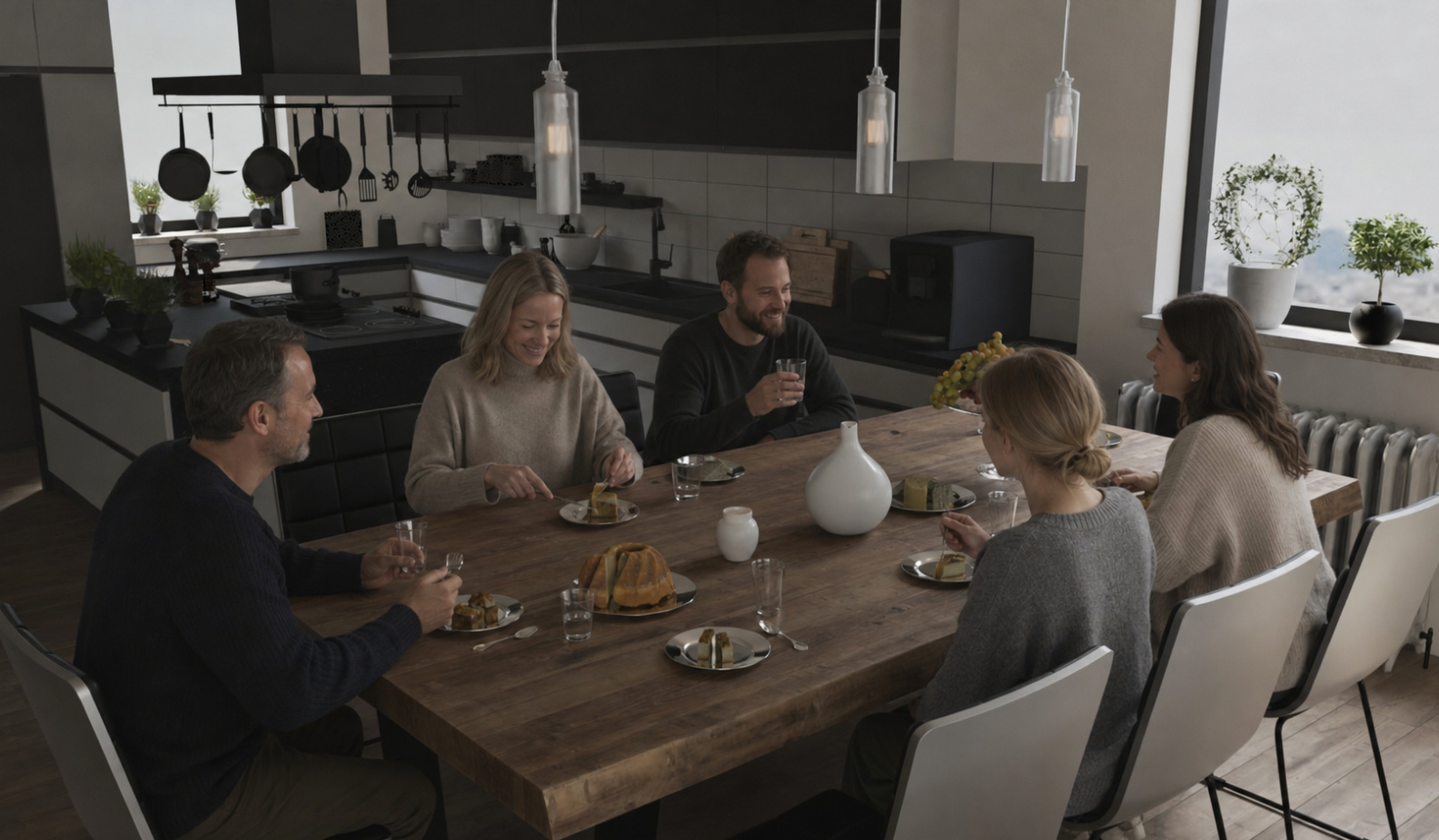
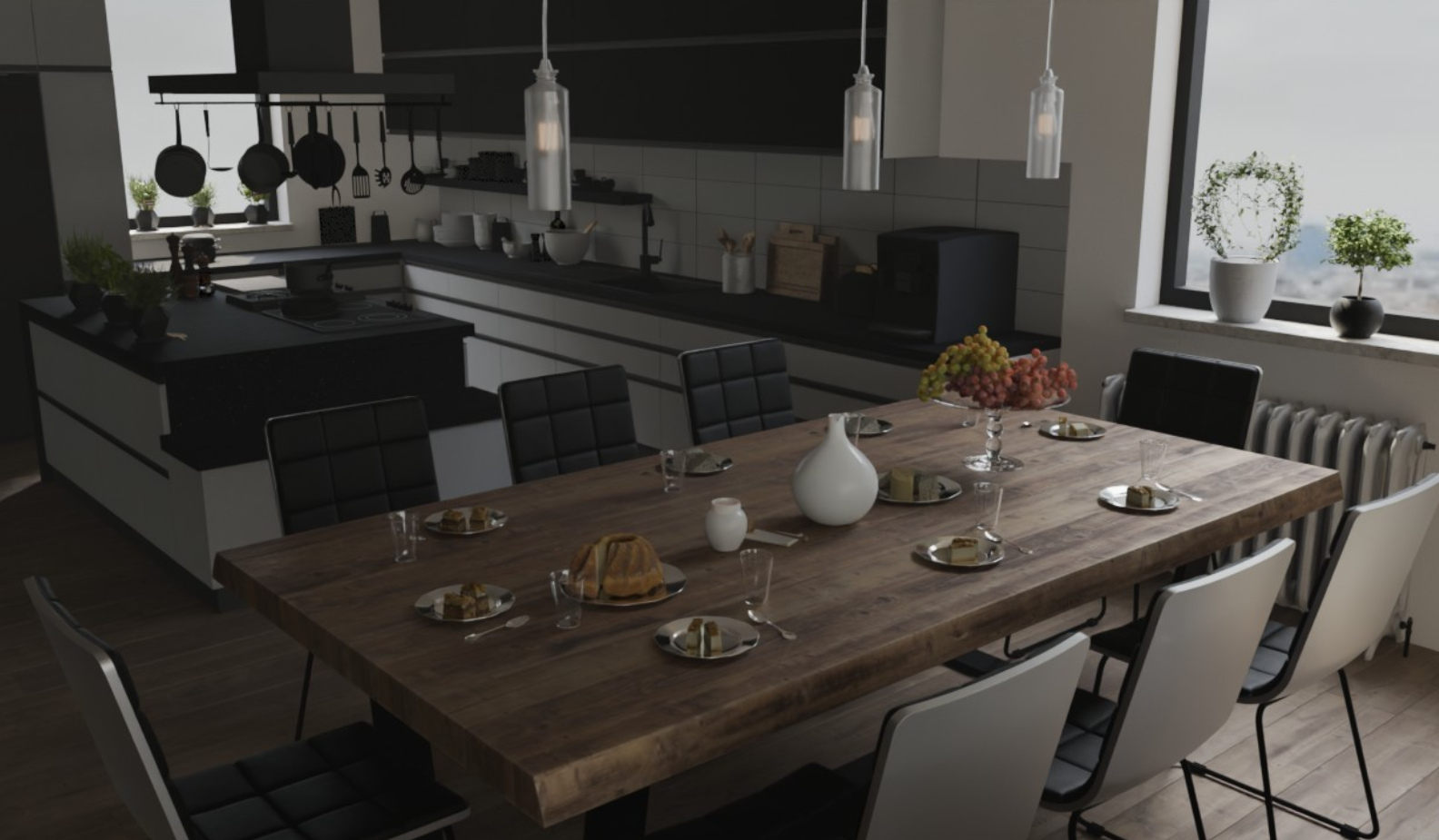
Seven functions: Photorealism, Enhance, Day night and seasons, Add people, Furnish, Change framing, Replace.
Replace: draw a rectangle around what you want to change, the rest stays identical.
Before and after comparison, zoom, saving; the results stay in the project.
The key is yours, encrypted on your computer; usage is billed to your OpenAI account.
Requires your own OpenAI key. The key is encrypted on your computer; usage is billed to your OpenAI account.
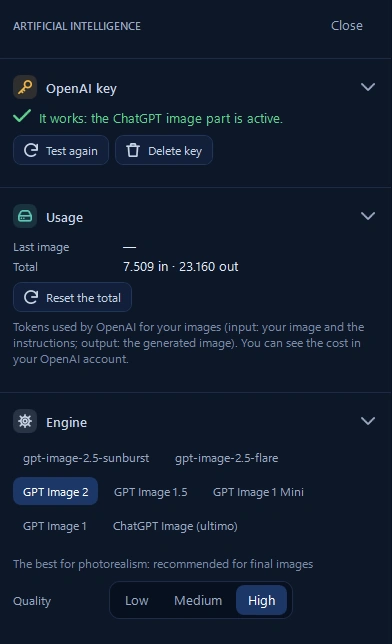
Connect your own OpenAI key, choose the engine and image quality. The panel shows usage; costs are billed to your OpenAI account, with no Simpler subscription.
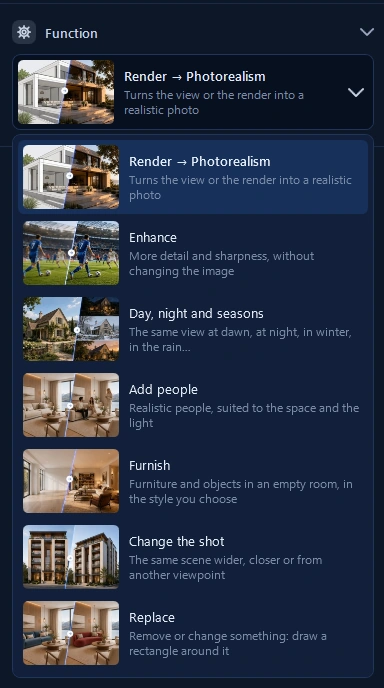
Take a render towards photorealism, enhance detail, change the time of day or season. Add people, furnish a space, explore another viewpoint or replace a selected element.
Create an image in Simpler. Turn it into a short clip with supported AI video models, using your own API key.
Simpler renders the image with Blender and Cycles. AI starts from that render and generates motion: for a short clip, you do not have to render every frame of a 3D animation on your computer.
Explore AI video ↗