 simpler
Set the start and finish.
Choose the framing, subjects and composition of both renders. Rather than starting from a generic description, you build the visual references.
Use a Simpler render as the first frame and add an optional image to guide the ending. Describe the camera movement, pace or atmosphere and generate a short clip with a supported model using your own API key.
A familiar idea from 3D software: define two keyframes, a starting point and an ending point. Here, the keyframes are two images you choose. AI generates the transition between them, guided by your instructions, without rendering every frame in Cycles.
Designed for short presentations, moving atmospheres and simple clips based on your images. Generation runs in the AI service’s cloud.
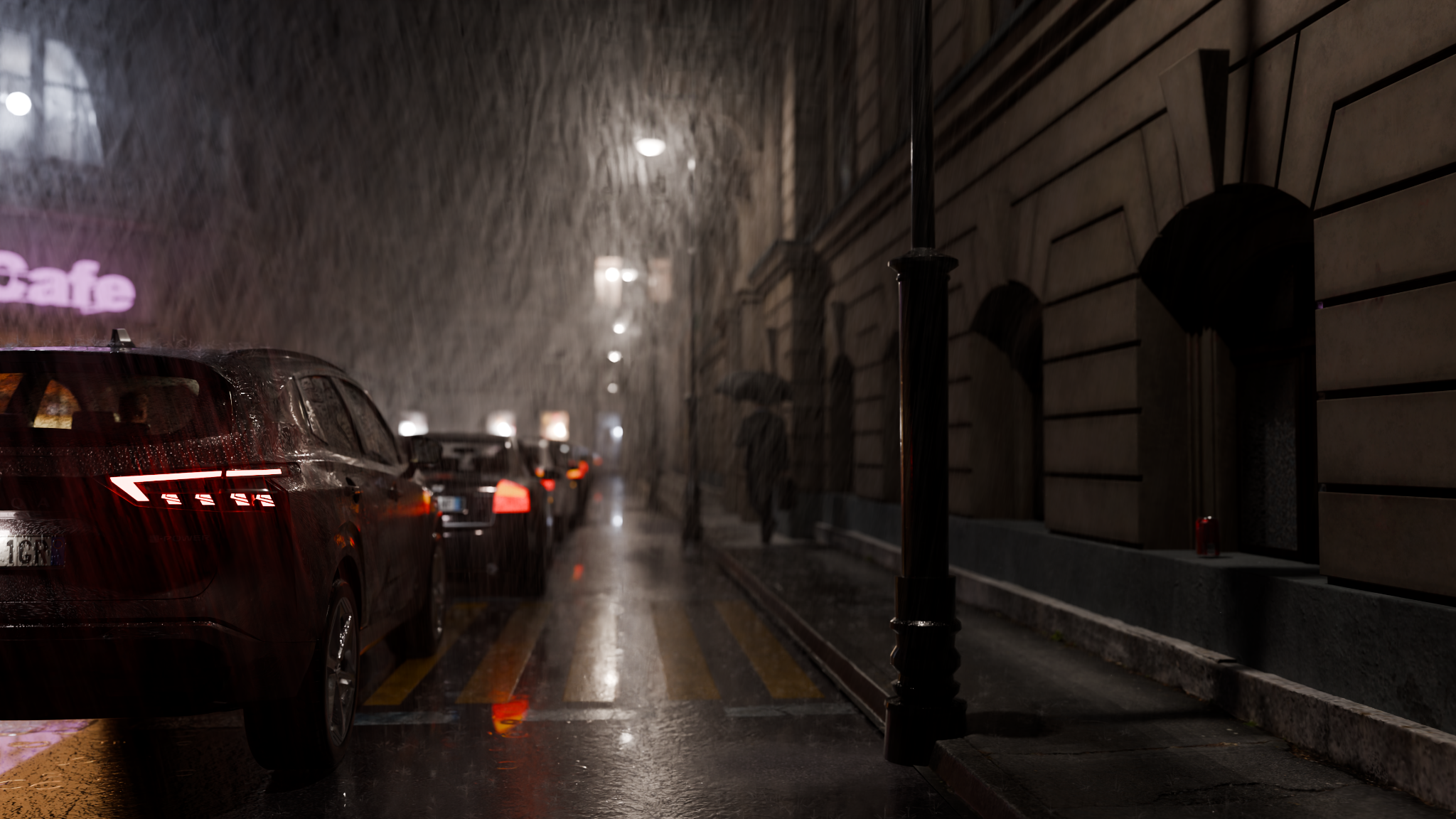
These are the two images created with Simpler and used as references for the video below. The first establishes where to start; the second sets where to finish.
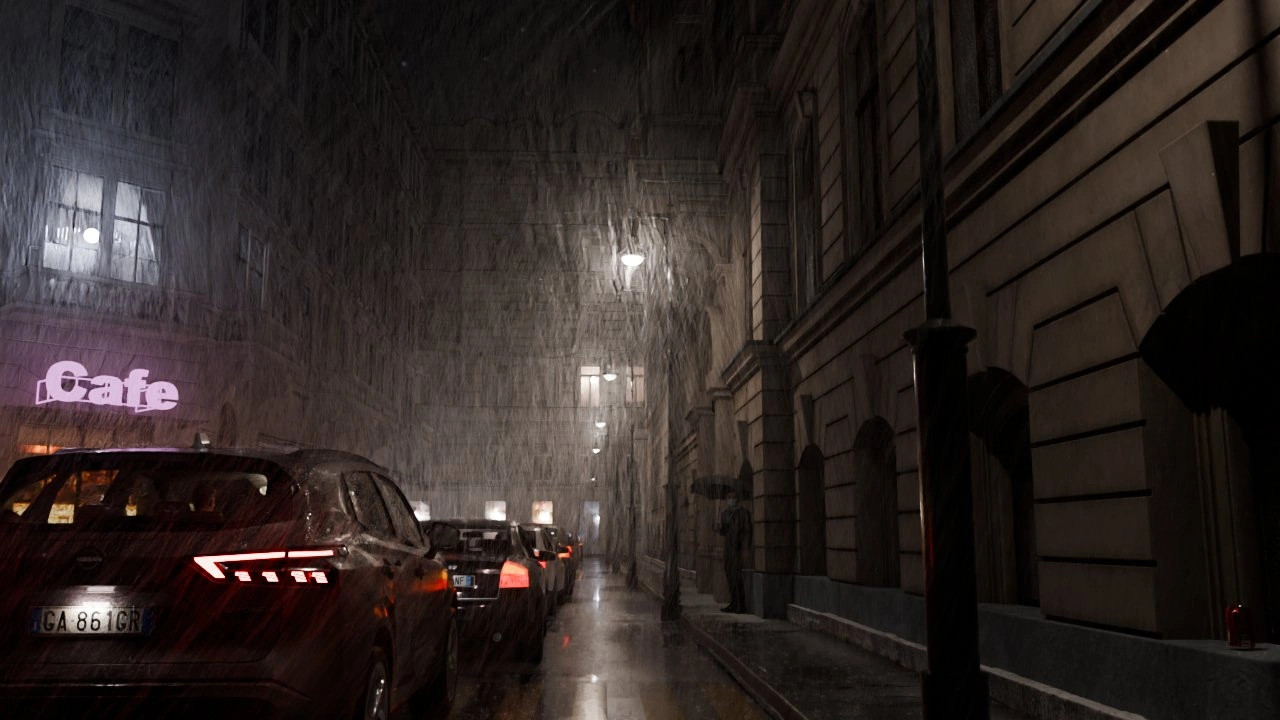
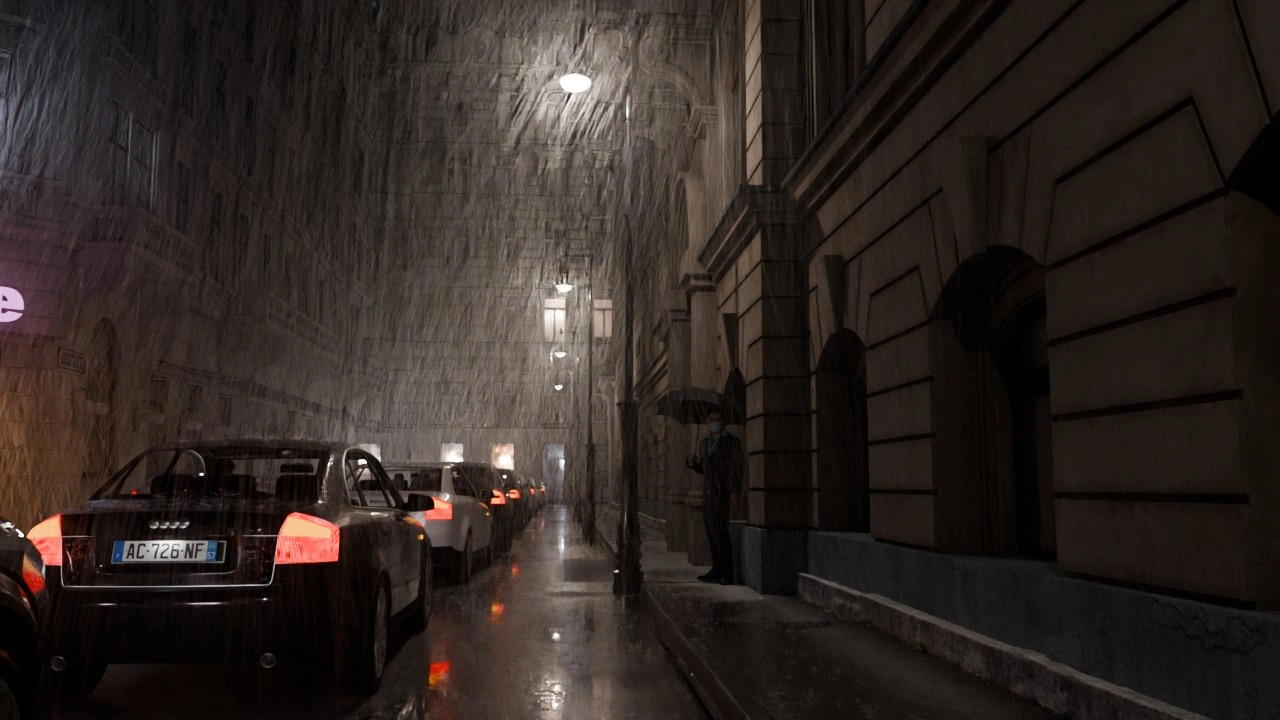
“Move slowly along the street towards the passer-by with the umbrella. Smooth camera movement, continuous rain and a night-time atmosphere. Reach the framing shown in the ending image.”
The two images provide a clear visual direction. Your text guides camera motion, pacing and atmosphere; the model generates the intermediate frames.
Choose the framing, subjects and composition of both renders. Rather than starting from a generic description, you build the visual references.
Use instructions to suggest direction, speed and atmosphere. Change the references or your text to generate another interpretation of the same scene.
Render the reference images with Cycles. The AI model generates the clip’s frames: your PC does not have to render the entire sequence.
frames to render individually.
AI generates the sequence in between in the cloud.
Illustrative comparison for a 10-second clip at 30 fps, not a benchmark. The video example above lasts about 6 seconds. AI generation still requires processing time, which varies by model and service.
For this beach scene, I used Simpler’s “Start only” mode. The starting render defines the scene and the instructions guide the AI-generated motion. The model builds the sequence from that single image.
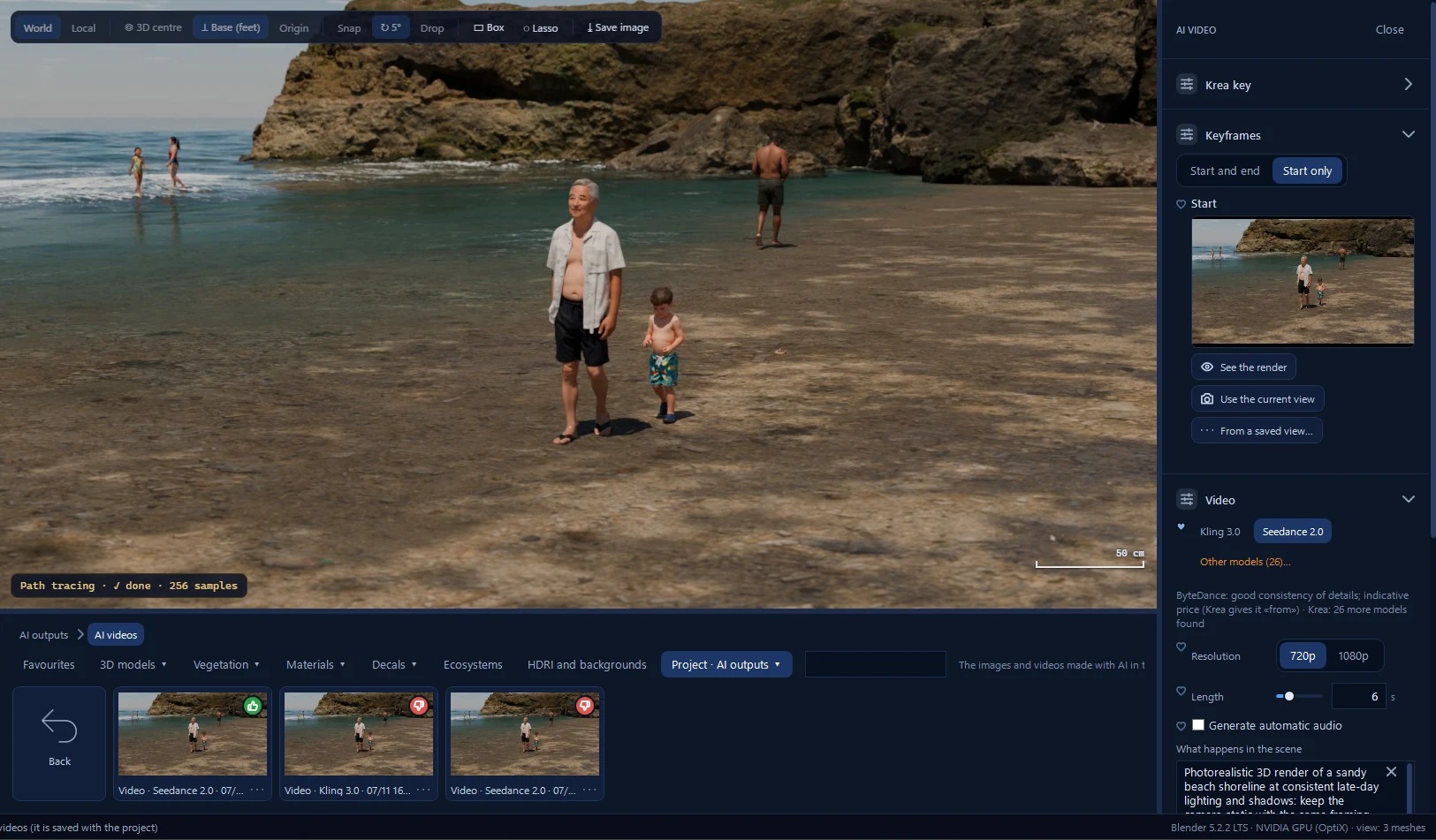
Connect your own API key and choose a model that can generate video from your render. The video service bills usage to your account.
Video requires an active personal API key for the supported video service. It is separate from the OpenAI key used for image features.
Available AI video model families include Veo, Kling, Hailuo, Runway, Wan and Seedance. Use models compatible with the image-to-video workflow and available to your account.
AI generation is not included in Simpler’s free offering. API credit with the selected service is required. Usage is billed to the user and varies by model and settings; consumer subscriptions do not necessarily include API credit.
The two-keyframe workflow requires a model supporting both start and end frames. Catalogue, access, duration, resolution and optional audio depend on the model, the selected AI service and the options supported by the integration. Not all AI models offer the same modes.
A coastal image made with Simpler, turned into a short clip with artificial intelligence. The render defines the scene; the AI model generates motion.
AI video example · 6 seconds · 1280 × 720
With “Start only,” you choose the first frame. With “Start and end,” you also provide a reference for the final shot.
A network of prompts and functions guides the model within constraints designed to preserve the original renders: composition, geometry, materials and atmosphere. These checks aim to limit reinterpretation, but cannot guarantee fidelity: AI models are non-deterministic and may still change details or introduce new elements. Review the final video, especially when exact correspondence with the 3D project is required.
You avoid locally rendering hundreds of frames; AI generation still takes time, which varies between requests.