 simpler
More time creating.
Less time fixing.
Import multiple models or an entire folder into your library in one operation. Apply a material fix across several models, check disk usage by folder and compare geometry before and after reducing the polygon count.
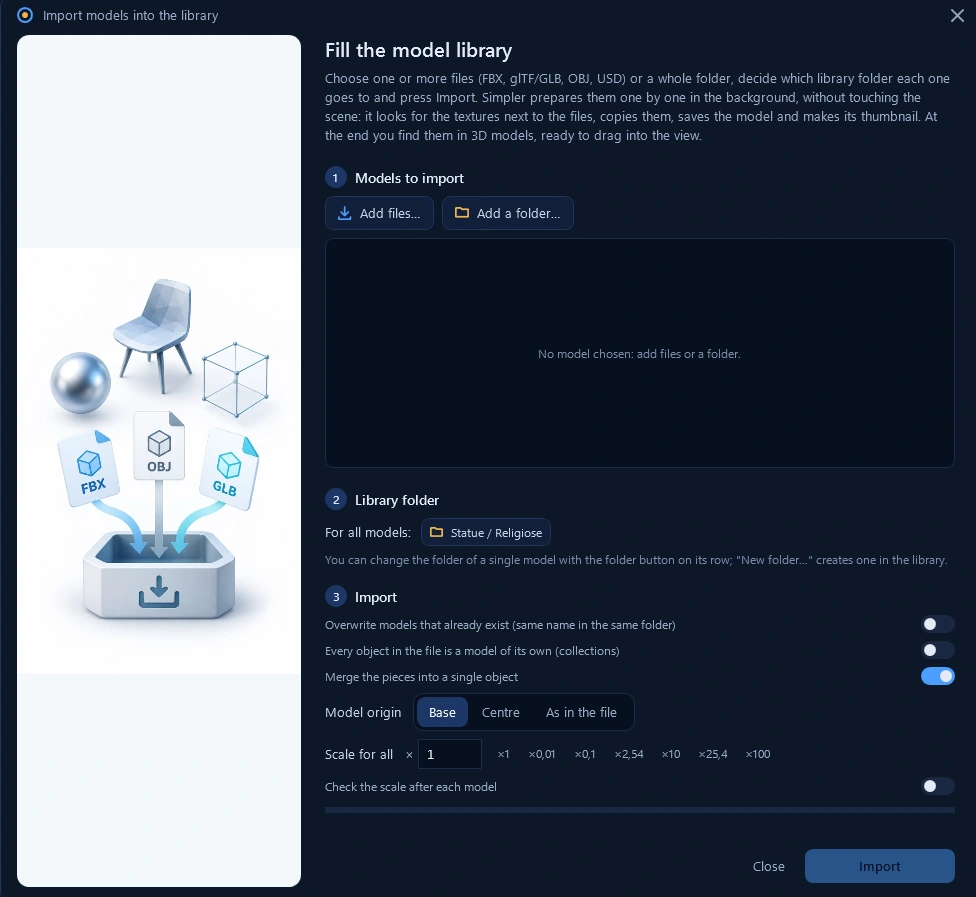
Import many models. In one go.
Select multiple files or a whole folder to grow your custom library in one operation. Simpler prepares models in the background, finds and copies textures, and creates thumbnails: your assets are ready to drag into the scene.
Choose destination folders, origin and scale; merge parts or import objects separately.
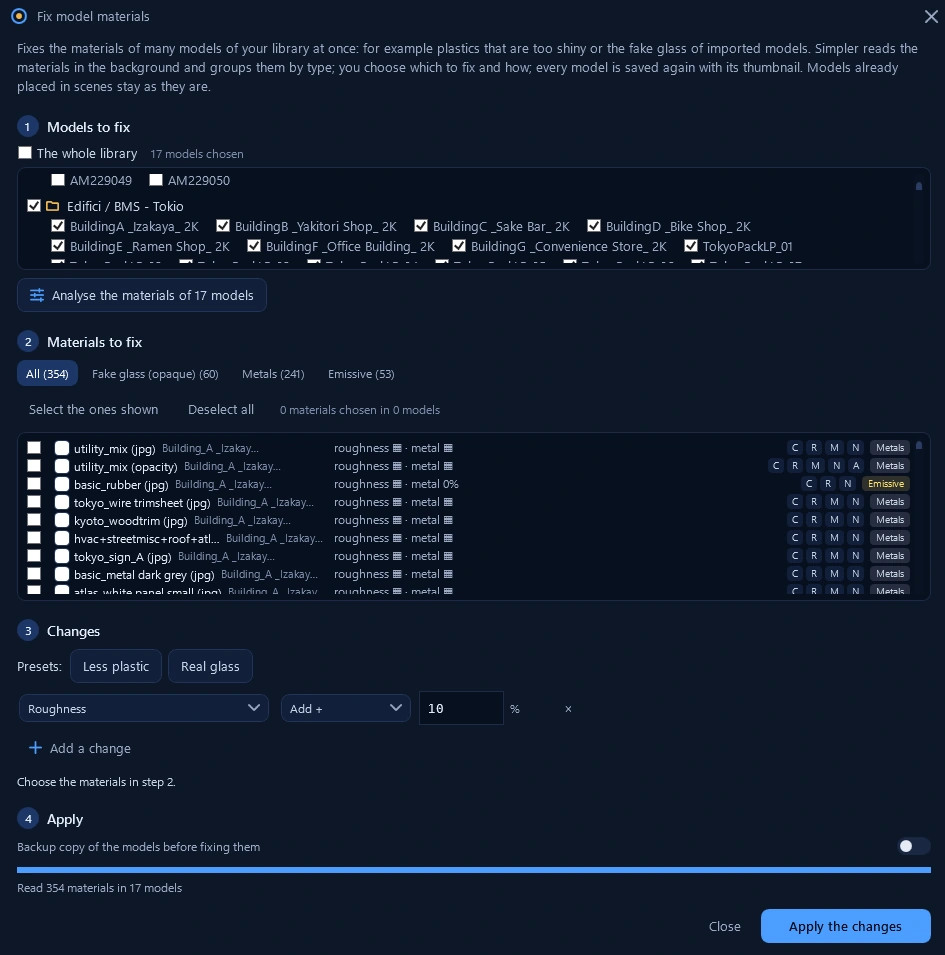
One repeated problem. One shared fix.
Overpowered normal maps, glass imported as opaque surfaces, overly shiny plastics: there is no need to open and fix every model. Analyse materials across multiple assets, choose the parameters to change and apply the correction to them together.
Presets such as “Less plastic” and “Real glass”, individual parameter changes and an optional backup before applying. Models already placed in scenes stay unchanged.
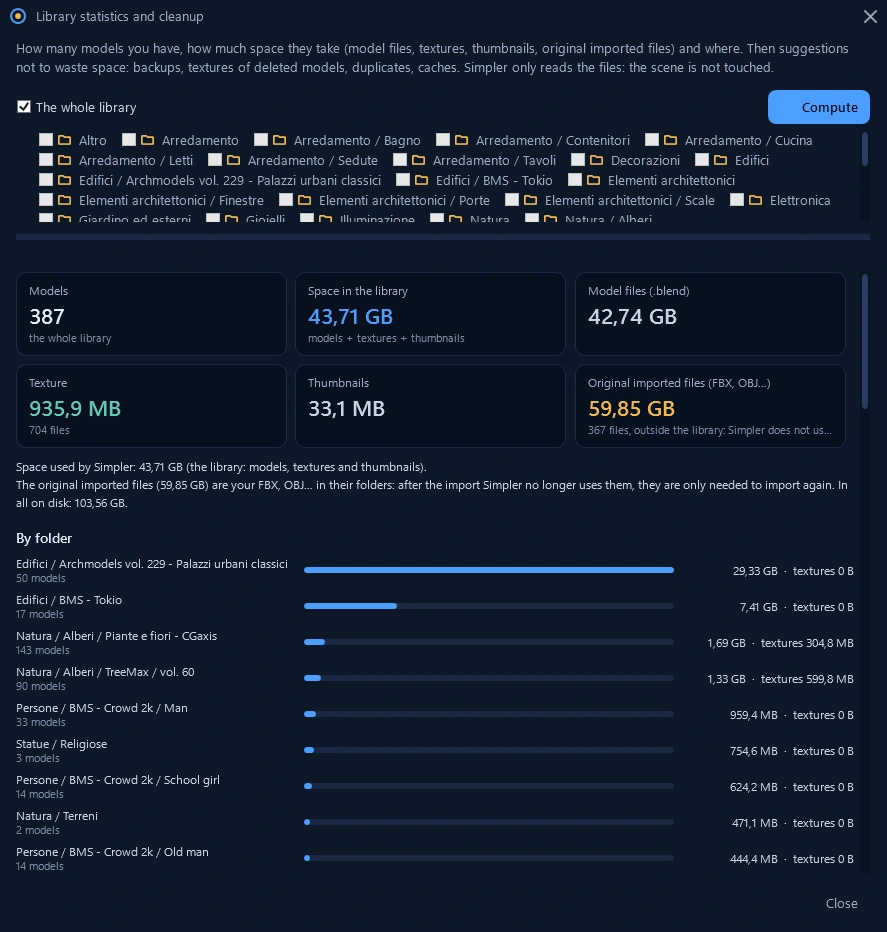
Know what takes up space. And where.
Models, textures, thumbnails, original files and project caches: keep disk usage under control. Folder statistics reveal where the space goes, while cleanup tools help identify duplicates, backups and assets you no longer need.
Reading statistics does not change the scene. Review what to keep before proceeding with cleanup.
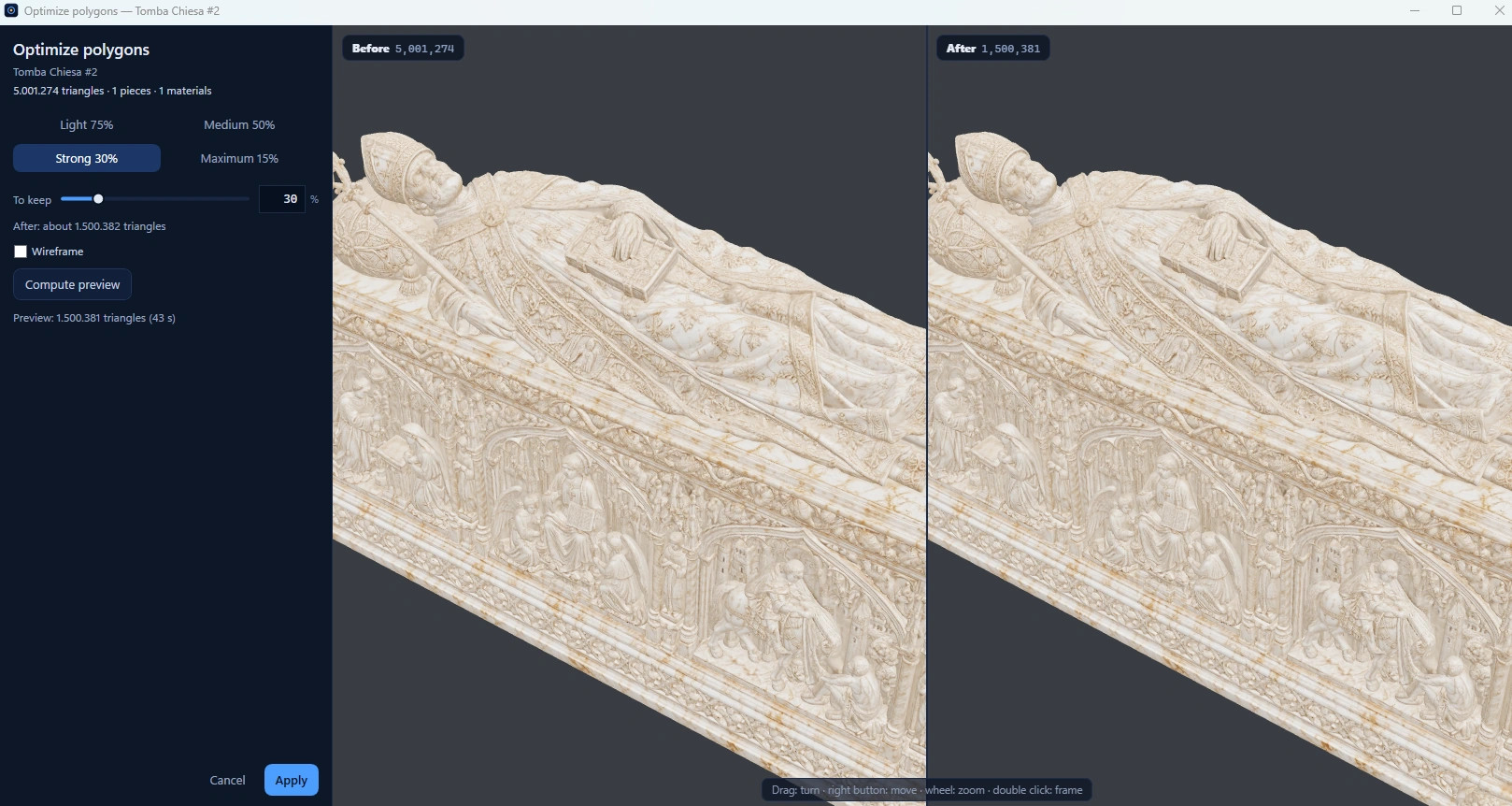
Fewer polygons. Detail that matters.
Modern render engines demand resources. Simpler helps prepare lighter models: choose a decimation level and compare the preview before applying it, finding the right balance between visual detail and polygon count.
In this example: from 5,001,274 to 1,500,381 triangles, about 70% fewer. The side-by-side comparison lets you judge the result on the model: quality depends on the geometry and the reduction you choose.